Introduction: The Paradox of Information Abundance
You have access to more information than at any point in human history. Yet, you likely feel more overwhelmed, less certain, and struggle to turn that information into clear decisions or actionable knowledge. This is the central paradox of our digital age: abundance creates scarcity—scarcity of attention, clarity, and understanding.
The problem is not a lack of information. The problem is the lack of structure. In the age of AI, where content generation is automated and summaries are instant, the real value shifts from accessing information to organizing it. True understanding emerges not from consuming more data points, but from seeing the relationships, hierarchy, and priorities between them.
Structure is not a productivity trick. It is the mechanism by which information becomes usable knowledge.
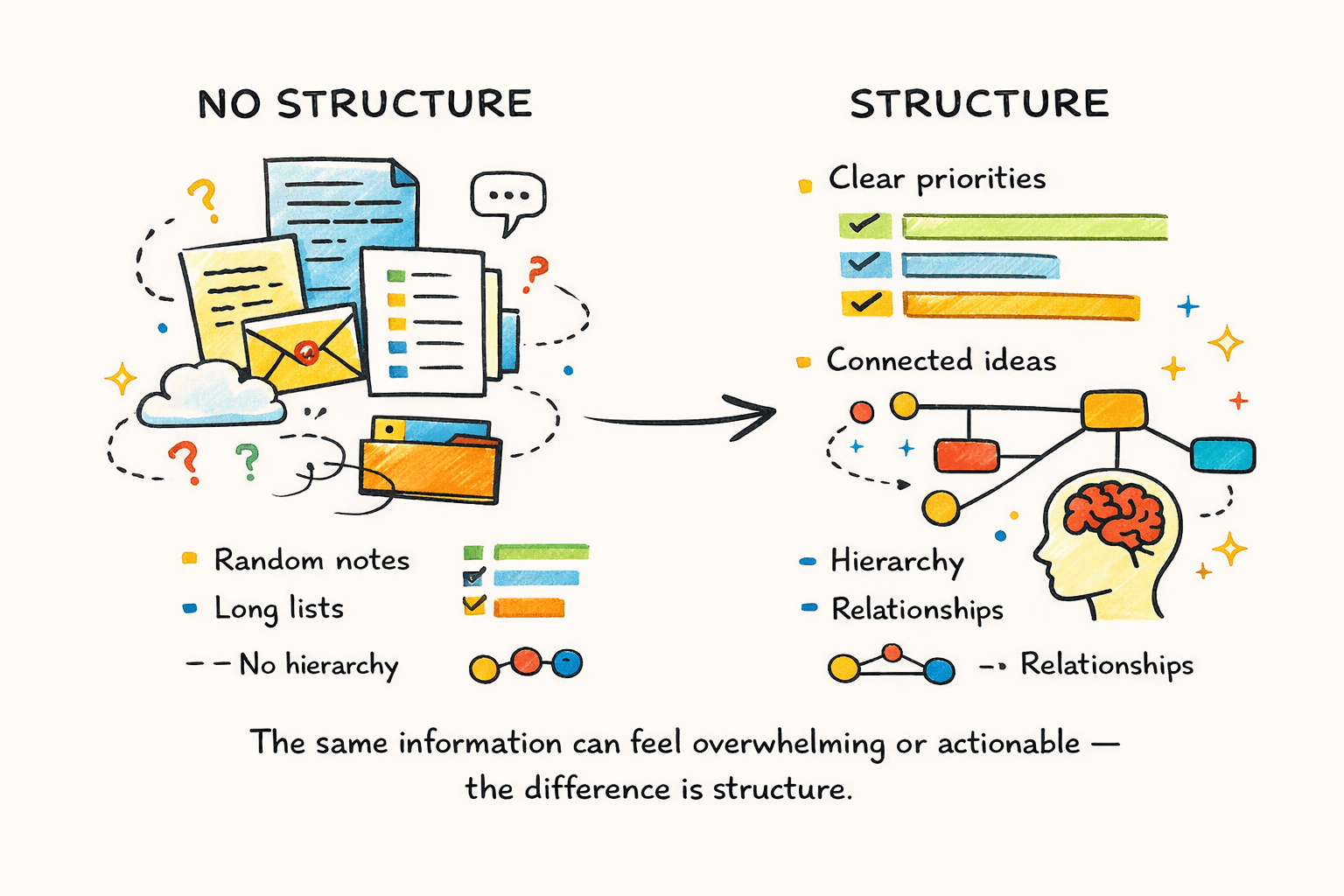
This article explains why raw information rarely turns into understanding, the cognitive cost of unstructured inputs, why AI summaries often fall short, and why visual structure is a more reliable bridge between consumption and action.
Information vs. Knowledge: Why Raw Content Doesn't Create Understanding
To solve the overload problem, you must first distinguish between information and knowledge. A common framework is the Data-Information-Knowledge ladder. Data are raw facts. Information is data organized to answer "who," "what," "where," and "when." Knowledge answers "how" and "why" by weaving information into a coherent understanding of patterns and relationships.
Most digital content—articles, reports, and even many AI outputs—stops at the level of information. They compress or list points but do not help you build the relational bridges that constitute knowledge. As one critique of the traditional Data-Information-Knowledge-Wisdom (DIKW) hierarchy notes, the transitions between these levels are where meaning is made, not merely transferred.
Structure is the bridge. Knowledge emerges when you can see how ideas connect, which claims depend on which evidence, and what is central versus peripheral. Think of information as a pile of bricks. Knowledge is the arch you build from them. The bricks alone are useless; the structured relationships (the arch) create utility and strength.
Think of information as a pile of bricks. Knowledge is the arch you build from them. The bricks alone are inert. The structure—the relationships—creates strength and utility.
The Cognitive Cost of Unstructured Information
Information overload is not a motivational failing; it's a cognitive bottleneck. When you consume unstructured inputs—a long article, a meandering video, a dense PDF—your working memory must perform the organizing in real-time. This is mentally expensive.
Research into the causes and consequences of information overload confirms it leads to poor decision-making, decreased productivity, and significant cognitive pressure. Your brain has limited working memory capacity. Unstructured data floods this system, increasing cognitive load and leaving fewer mental resources for the critical tasks of synthesis, analysis, and creativity. You experience this as mental fatigue, difficulty focusing, and a sense of being stuck.
Unstructured information pushes the cost of organization onto your brain.
The solution is cognitive offloading—externalizing the structure. By using a diagram, map, or outline to make relationships explicit outside your head, you free up working memory. A study on visible thinking and cognitive load found that self-generating external representations is a powerful way to manage complexity. Structured representations do the heavy lifting of organization for you, allowing your brain to focus on higher-order thinking.
Structure does the organizing so your brain can do the thinking.
Why AI Summaries Fall Short: The Linearity Trap
AI summarization tools are invaluable for speed. They can reduce a 50-page report to a few paragraphs, surfacing key points in seconds. However, they introduce a critical limitation: the linearity trap.
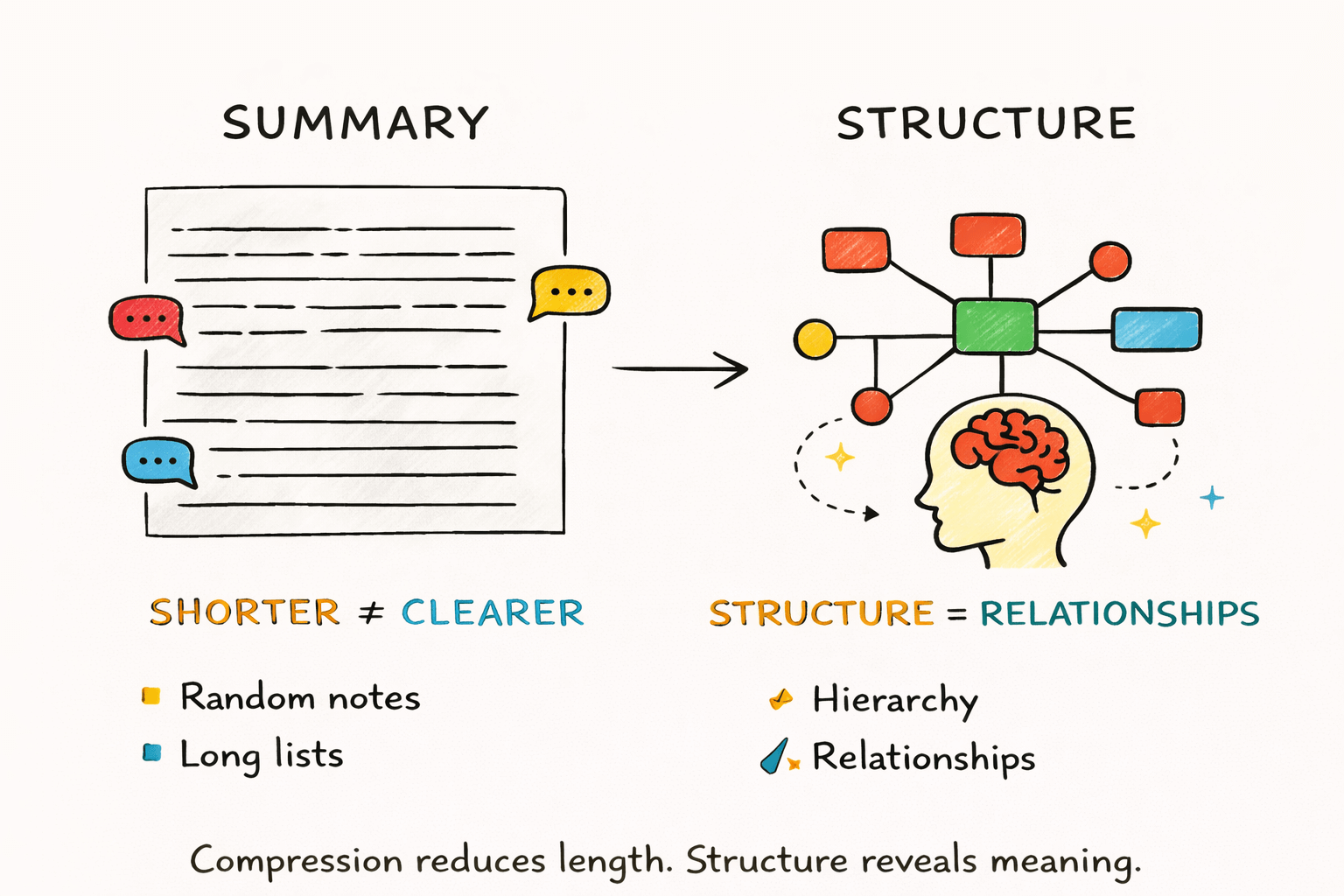
An AI summary is still linear text. It preserves the same fundamental bottleneck—relationships, hierarchy, and dependencies between ideas remain implicit and buried in prose. A summary tells you what was said; a structure shows you how the ideas fit together.
What does linear output hide?
- Supporting Relationships: What evidence supports which claim?
- Hierarchy: What is the main thesis versus a supporting detail?
- Prerequisites: What concepts must be understood first?
- Concept Clusters: How do ideas group into themes?
As research on AI summarization limitations points out, these tools often struggle with intricate context and nuance. More fundamentally, compression is not comprehension. Summarization reduces volume; structuring clarifies meaning. To move from information to knowledge, you need to see the map, not just a list of landmarks.
The Power of Visual Structure: From Mind Maps to Mental Models
The most effective way to externalize structure is visually. Tools like mind maps, concept maps, and argument diagrams transform implicit relationships into an explicit "thinking surface."
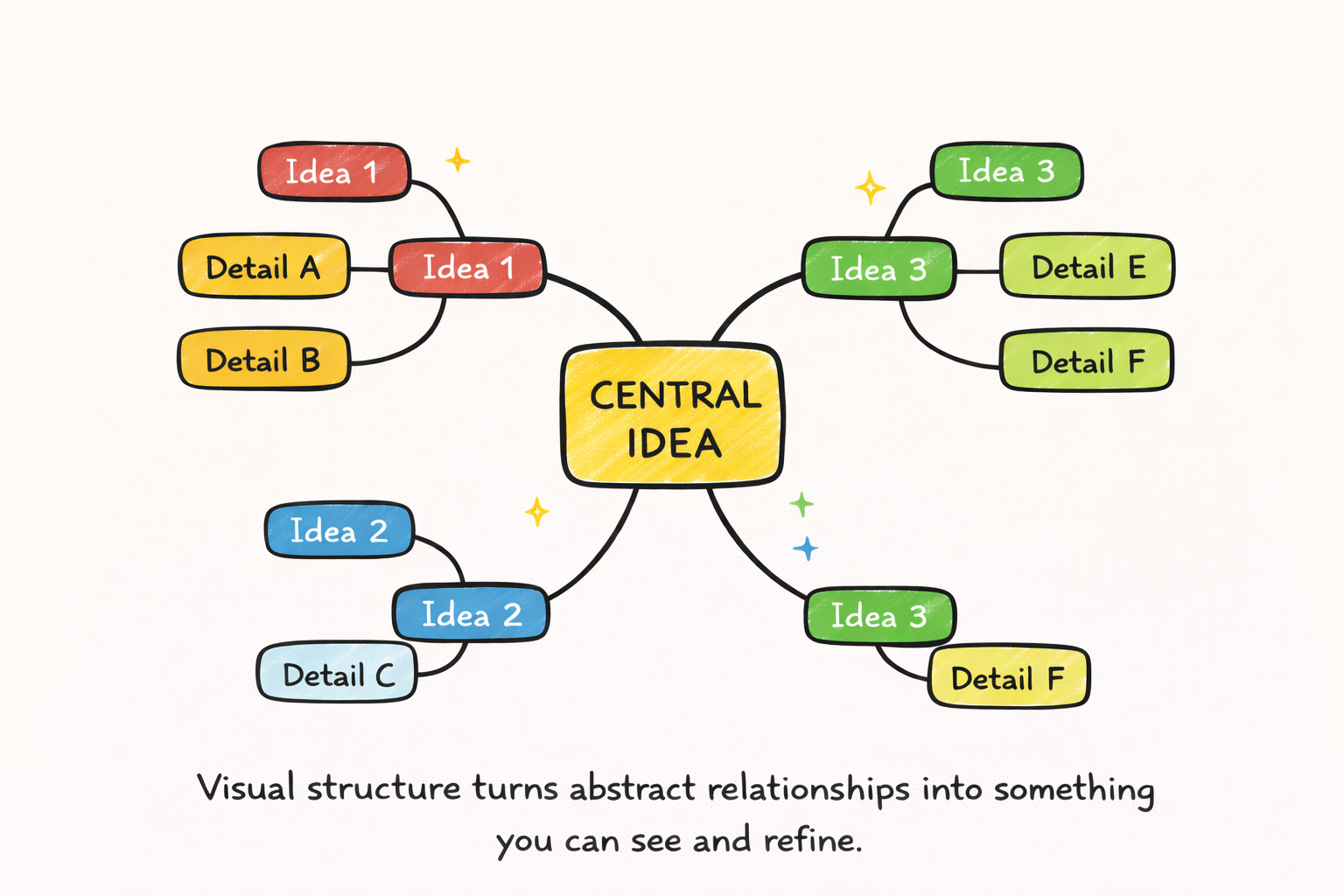
Why do visuals work so well? They leverage your brain's innate strengths in spatial reasoning. Studies show that graphics outperform text in long-term memory retention and that spatial representations enhance comprehension compared to linear descriptions. Visuals make hierarchy (through parent-child nodes), proximity (through clustering), and connections (through lines and arrows) immediately apparent. They reveal gaps in logic and contradictions at a glance.
This visual scaffolding is how you build mental models—internal frameworks for how a domain works. As explained in resources on mental models for problem-solving, these are the cognitive "shortcuts" that allow for faster, better decisions. A mind map is an external, editable draft of a mental model. Meta-analyses confirm that mind mapping enhances academic performance, particularly in knowledge retention and comprehension, by providing this structured scaffold.
What Tools Must Do to Turn Information into Structure
Given the cognitive benefits, what should you look for in a tool designed for structured thinking? It must do more than just let you draw boxes. A capable tool should:
- Capture at the Point of Consumption: Minimize friction between reading/watching and structuring. It should work where your information is (web browsers, PDFs, videos).
- Generate an Initial Structure Quickly: Use AI not just to summarize, but to propose a logical hierarchy and relationships from the raw content, giving you a head start.
- Allow Human-Guided Refinement: The first structure is a draft, not a final product. The tool must make it easy to drag, edit, split, and merge nodes. Rearranging is thinking.
- Bridge to Output: The final structure should be exportable into formats that feed your downstream work (reports, plans, presentations).
The ideal tool acts as a catalyst, reducing the effort to go from unstructured input to a structured foundation you can build upon.
ClipMind in Action: Bridging Consumption and Structure
ClipMind is built on the principles above. Its core function is to turn messy, unstructured inputs—webpages, PDFs, YouTube videos, and long AI chat conversations—into an editable, visual mind map in seconds.
The value isn't just the automatically generated map. It's the drastic reduction in time and cognitive effort required to reach a usable structure. Instead of starting with a blank page, you start with a logically organized draft. From there, you can instantly engage in the most important part: active refinement, critical thinking, and synthesis.
Two Real-World Use Cases (and Why They Work)
Use Case A: From Research Paper to Literature Review Scaffold
Scenario: A student or researcher needs to synthesize a complex academic paper. Problem: Highlighting and linear notes leave the paper's argument structure implicit. Comparing multiple papers is mentally taxing. Structure Move: Using ClipMind to summarize the PDF generates a mind map breaking down the paper into: Thesis → Major Claims → Supporting Evidence → Methodology. Outcome: The argument's logical flow becomes visible. This map serves as a perfect note-taking template. When repeated for other papers, you can visually compare structures, identify common themes, and spot research gaps, forming the backbone of a literature review. This addresses a key pain point in academia where the challenge is to draw conclusions, not just list results.
Use Case B: From AI Chat Log to Actionable Plan
Scenario: A product manager has a long, ideation-heavy conversation with an AI assistant about a new feature. Problem: The chat log is a wall of text. Great ideas are buried, and dependencies are unclear, making it hard to create a project plan. Structure Move: Using ClipMind's AI chat summarizer transforms the conversation into a mind map. Ideas are clustered into themes (e.g., "User Stories," "Technical Constraints," "UI Mockups"). Each theme can be prioritized and broken into sub-tasks. Outcome: A meandering discussion is converted into a structured, actionable plan. You can directly export this map to Markdown to populate a Product Requirements Document (PRD) or task manager, solving the common frustration of turning unstructured AI outputs into deliverables.
Structured Thinking as a Meta-Skill for the AI Era
As AI becomes proficient at generating and summarizing information, the human advantage shifts. The future-of-work skills highlighted by the World Economic Forum—critical thinking, analytical thinking, and complex problem-solving—all depend on the ability to structure information.
Your leverage increases not by consuming more AI output, but by curating, synthesizing, and structuring that output into coherent frameworks for decision-making and creation. Structured thinking is the meta-skill that allows you to use AI as a powerful partner rather than being overwhelmed by it. It is the process of applying human judgment and context to create meaning from machine-generated patterns.
Principles for Building a Structured Thinking Habit
You can cultivate structured thinking without a specific tool. Adopt these principles:
- Principle 1: Start with the Goal. Before diving into content, ask: "What decision, explanation, or plan do I need from this?" Let this intended structure guide your attention.
- Principle 2: Externalize Early. Don't just highlight. As you consume, immediately capture key points into a flexible canvas (digital or paper) where you can move them around. Capture at the point of insight.
- Principle 3: Force Relationships. For every new point you add, ask: "What does this support?" "What does this depend on?" "Is this a cause, an effect, or a detail?" Drawing these connections is the core act of structuring.
- Principle 4: Iterate the Structure. Your first map or outline is a draft. Reorganizing nodes is not cleanup; it's where deeper understanding and new insights emerge.
- Principle 5: Switch Representations. Use a mind map for non-linear brainstorming and sensemaking. Switch to a linear outline or Markdown when you're ready to draft and execute. Tools like ClipMind that offer dual-view functionality make this seamless.
Conclusion: Structure is Freedom
In a world of infinite information, self-imposed structure is the ultimate shortcut to clarity, creativity, and effective action. It is the disciplined process that turns overload into knowledge and knowledge into output.
The bridge from consumption to creation is built not from more data, but from better structures that reveal priorities and relationships. As AI continues to evolve, the most productive partnership will be between human judgment and machine-assisted structuring. The goal is not to manage information, but to master it.
Start by applying structure to your next piece of complex content. See the difference it makes.
Learn More
- Why People Forget What They Read: Research on Information Decay – Dive deeper into the cognitive science behind memory and how structure fights forgetting.
- The Pyramid Principle: What It Is & How to Use It + Example – A classic framework for structuring communication and arguments logically.
- Mental Models: The Best Way to Make Intelligent Decisions – Explore a library of mental models to improve your decision-making frameworks.
- How to Create Mind Maps from Webpages: Complete Guide – A practical, step-by-step guide to applying the principles in this article.
FAQ
What's the difference between a summary and a structure? A summary compresses content into shorter text, aiming for brevity. A structure organizes content to show relationships and hierarchy, aiming for clarity. A summary tells you what; a structure shows you how.
I already take linear notes. Isn't that enough? Linear notes (like in a document) are sequential and often bury relationships. They are good for capture but poor for synthesis. Visual structures are spatial, making connections and relative importance immediately visible, which is better for analysis and recall.
Doesn't creating a structure take more time? Initially, yes. However, it saves significant time downstream by reducing cognitive reloading, preventing rework, and making the path from research to output much faster. The time invested upfront pays compounding dividends in clarity and efficiency.
Can AI create a good structure for me? AI can generate an excellent first draft of a structure by identifying key topics and proposing relationships. This is a powerful head start. However, the human must refine it—applying context, judgment, and nuance that the AI may miss. The best results come from collaboration.
Is structured thinking only for complex topics? No. Applying simple structure (like categorizing a shopping list or outlining meeting agenda items) reduces cognitive load for any task. It's a habit that scales from daily planning to solving complex problems.
What if I'm not a visual thinker? The benefits of visual structure are not limited to "visual thinkers." It leverages the human brain's innate spatial processing abilities. Start simple. The act of drawing connections, even clumsily, will engage different cognitive pathways and improve your understanding.
How do I choose a structuring tool? Look for a tool that minimizes friction: it should work where your information lives (browser, PDF reader), help you start quickly (AI-assisted generation), and be flexible enough to edit easily. The ability to export your structure into other formats (like Markdown for writing) is also key.