How to Plan a Content Calendar: A Step-by-Step Guide
Learn how to create an effective content calendar to organize, schedule, and track your marketing efforts. This guide covers goals, templates, and tools.
What is a Content Calendar
A content calendar is a visual workflow that helps you plan, organize, and track your content efforts so you can deliver the right content to your customers at the right time. It moves your strategy from a vague idea to a structured, executable plan. For visual thinkers, mapping this out can clarify how different pieces of content connect across channels and over time.
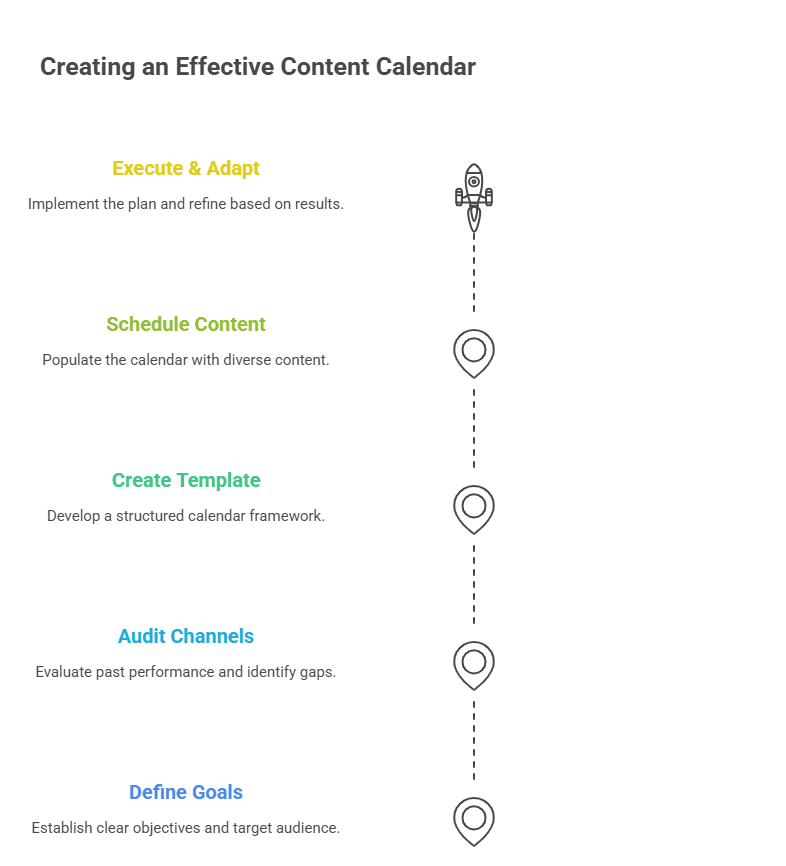
Step 1: Define Your Goals and Audience
Before you open a spreadsheet, define what you want to achieve. Are you aiming to increase brand awareness, generate leads, or drive website traffic? Your goals will dictate the type of content you create and how you measure success. Simultaneously, create a list of content ideas that align with your goals and resonate with your audience's interests. Understanding their pain points and questions is crucial for relevance.
Step 2: Audit Your Channels and Content Types
Not all content belongs on every platform. Choose your channels based on where your audience spends time. Then, consider using various content types, such as graphics, blog posts, videos, and short-form updates, to keep your calendar diverse and engaging. An audit helps you see what has worked in the past and identify gaps in your current strategy.
Step 3: Create Your Calendar Template
The foundation of your plan is a reusable template. You can start with the calendar year as a broad framework, then break it down into quarters, months, and weeks. A simple spreadsheet or a dedicated tool works. Your template should include columns for the publish date, channel, content topic, format, status, and any relevant links or notes. This standardization saves immense time.
Step 4: Brainstorm and Schedule Content
With your template ready, add your own content. Populate your calendar with the ideas you brainstormed, aligning them with key dates, product launches, and industry events. Schedule content on a daily, weekly, and monthly basis to maintain a consistent flow. Remember to balance promotional content with educational or entertaining pieces to build a genuine connection with your audience.
For a creative boost, use tools like the Blog Topic Brainstormer or Video Content Brainstormer from ClipMind Free AI Tools to generate fresh ideas aligned with your goals.
Step 5: Execute, Review, and Adapt
A plan is only as good as its execution. Use scheduling tools, like the built-in content calendar in Canva, to plan and schedule your social posts ahead of time. After publishing, regularly review performance metrics against your initial goals. This data is your guide for adaptation. What content resonated? Which formats underperformed? Use these insights to refine future plans, making your content calendar a living document that evolves.
Tools to Build Your Content Calendar
You can start with a simple spreadsheet, but dedicated tools can streamline the process. Options range from project management software like Trello or Asana to marketing platforms with native calendar views. The key is to choose a tool that fits your team's workflow and makes the planning process visual and collaborative.
For a centralized, visual approach to planning not just content but entire projects, explore the Project Planner tool.
Planning a content calendar transforms chaotic content creation into a strategic asset. By defining goals, structuring a template, and scheduling thoughtfully, you ensure your marketing efforts are consistent, aligned, and measurable. Start with a simple plan, review it often, and let it grow with your strategy.