You read an article, watch a video, or finish a research paper. You feel you understand it. But a week later, when you need that information, it’s gone—faded into a vague memory, forcing you to start over. This cycle of forgetting and relearning is a universal frustration in an age of information overload.
The core problem isn't a lack of information; it's a lack of organization. Our brains struggle to retain isolated facts. They thrive on connections, context, and structure. This is where mind mapping delivers a powerful solution. It’s more than a creative exercise; it's a cognitive tool designed to organize information around concepts, creating a durable framework for understanding and memory.
This guide will explain what mind mapping is, how it works on a cognitive level to prevent relearning, and how modern AI-powered tools are making this technique more accessible and effective than ever.
What is Mind Mapping? A Visual Definition
A mind map is a visual diagram that organizes information hierarchically around a central concept. It starts with a single core idea at the center. From there, related topics branch out like the limbs of a tree, which can then branch further into subtopics. This creates a radial, non-linear structure that mirrors how our brains naturally associate ideas.
Popularized by psychology author Tony Buzan, mind mapping emphasizes the use of keywords, colors, images, and curved lines. The goal is to transform a "long list of monotonous information into a colorful, memorable and highly organized diagram," as described by MindMapping.com.
Example: Instead of taking linear notes on "Project Launch," you'd place "Project Launch" at the center. Major branches might be "Market Research," "Development," "Marketing," and "Timeline." "Marketing" could then branch into "Social Media," "Email Campaign," and "Launch Event."
The Cognitive Science: How Mind Maps Organize Information in Your Brain
Mind mapping is effective because it aligns with how your brain works. Neuroscience shows our memory operates as a network of interconnected neurons, not a linear list. Mind maps visually replicate this associative network.
- They Mirror Neural Networks: The radial, connected structure of a mind map mimics the brain's own web of connections, making the information feel more "native" and easier to navigate mentally.
- They Build Cognitive Schemas: Schema theory explains that we understand new information by fitting it into existing mental frameworks called schemas. A mind map is an external, visual schema. By actively building this map, you are constructing a robust cognitive framework for the new material. Research, such as a 2024 study, shows that integrating mind maps with schema theory enhances comprehension and retention.
- They Engage Visual-Spatial Processing: Our brains are exceptionally good at remembering images and spatial relationships. A study on the superiority of graphics over text in long-term memory retention found that information presented visually was recalled more accurately. A mind map leverages this by turning abstract ideas into a concrete visual landscape you can mentally "walk through."
The Direct Link: How Organized Concepts Help You Avoid Relearning
The connection between organizing concepts and durable memory is explained by the levels of processing theory. This model states that memory depends on how deeply we process information.
- Shallow Processing: Rote memorization, passive highlighting, or re-reading text. This leads to weak memory traces that fade quickly, following the Ebbinghaus forgetting curve, where we can forget 70% of new information within 24 hours.
- Deep Processing (Elaboration): Analyzing meaning, making connections, and organizing ideas into a structure. This is what mind mapping forces you to do.
Creating a mind map is a prime example of deep processing. You must:
- Identify the core concept.
- Distinguish main ideas from supporting details.
- Determine how ideas relate to each other.
- Synthesize information into a coherent whole.
This active, elaborative process creates a much stronger memory encoding. Research confirms this: studies have found that concept mapping significantly enhances meaningful learning and improves long-term memorization.
Furthermore, a completed mind map serves as a perfect tool for active recall and spaced repetition—two of the most evidence-based study techniques. Instead of re-reading notes (passive review), you can use your map to quiz yourself, efficiently reinforcing the organized structure in your mind. This breaks the cycle of relearning by making the original understanding solid and easily retrievable.
Traditional vs. Modern Mind Mapping: Overcoming the Friction
For decades, the biggest barrier to mind mapping was the manual effort. Drawing maps by hand or building them node-by-node in early software was time-consuming. This friction often meant people abandoned the technique before experiencing its benefits.
Digital tools brought drag-and-drop ease, templates, and collaboration. However, a significant hurdle remained: you still had to manually structure information you consumed—be it a 45-minute lecture, a 50-page PDF, or a complex AI chat thread. This "blank canvas" problem stopped many from starting.
The latest evolution solves this: AI-powered mind mapping that automates the initial structuring from existing content.
AI-Powered Mind Mapping: From Consumption to Instant Structure
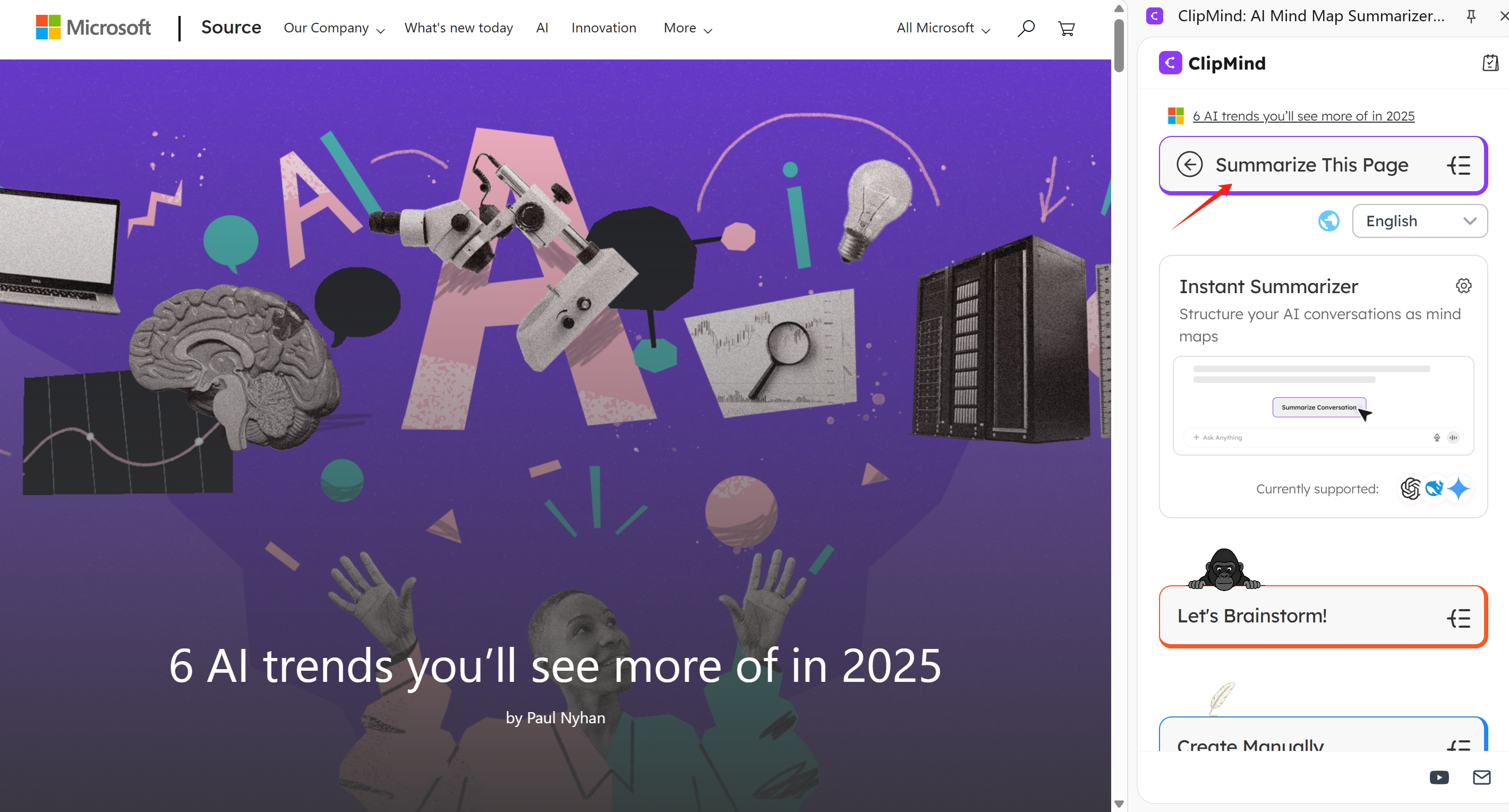
Tools like ClipMind represent this new category. They remove the primary friction by generating an editable mind map from your source material in seconds.
The Workflow:
- You provide the input: a YouTube video link, a PDF document, a webpage URL, or even a long AI chat conversation.
- The AI analyzes the content, identifies key concepts, detects hierarchy, and filters out noise (like ads or navigation text).
- It presents you with a clean, logically structured mind map.
This transforms passive consumption into immediate active structuring. You no longer start from zero; you start from a 90% complete draft. Your cognitive effort shifts from extraction (what are the main points?) to organization and connection (how do these points relate? what's missing?). This immediate engagement in deep processing is key to solidifying learning from the outset.
Key Features of Modern Mind Mapping Tools for Knowledge Retention
Beyond AI generation, modern tools offer features specifically designed to enhance learning and combat forgetting.
Dual Views and Export
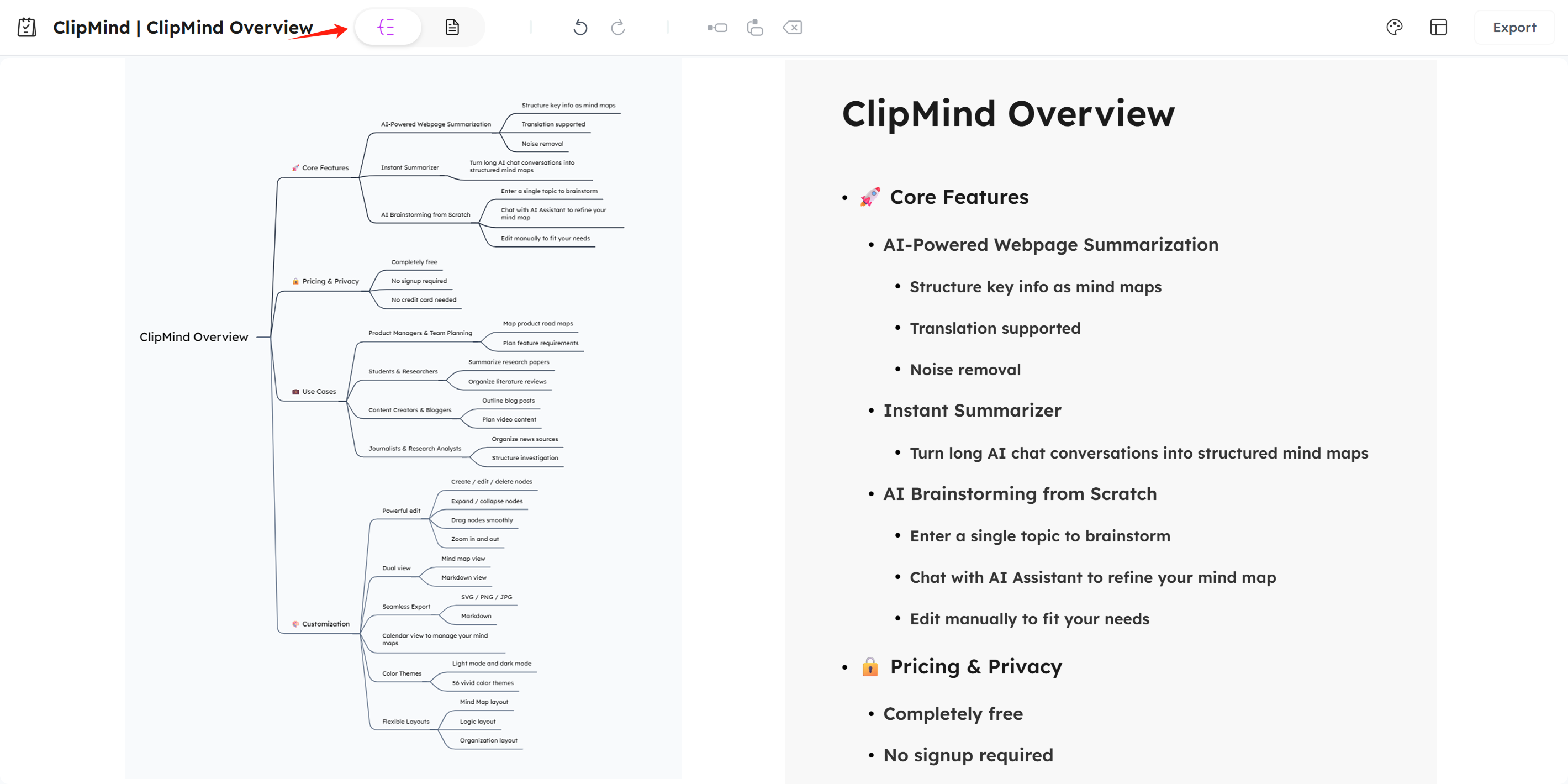
The ability to switch between a visual mind map and a linear outline or Markdown view (a feature in ClipMind) is powerful. It supports Dual Coding Theory, which holds that combining visual and verbal information improves memory.
- Visual Map: Ideal for brainstorming, seeing relationships, and holistic understanding.
- Linear View: Ideal for drafting, detailed writing, and creating actionable outputs.
Switching between these views helps transition from comprehension to creation, reinforcing the material through multiple representations. Exporting to Markdown, PNG, or SVG lets you integrate your organized knowledge directly into reports, study guides, or presentations.
History and Knowledge Base Functions
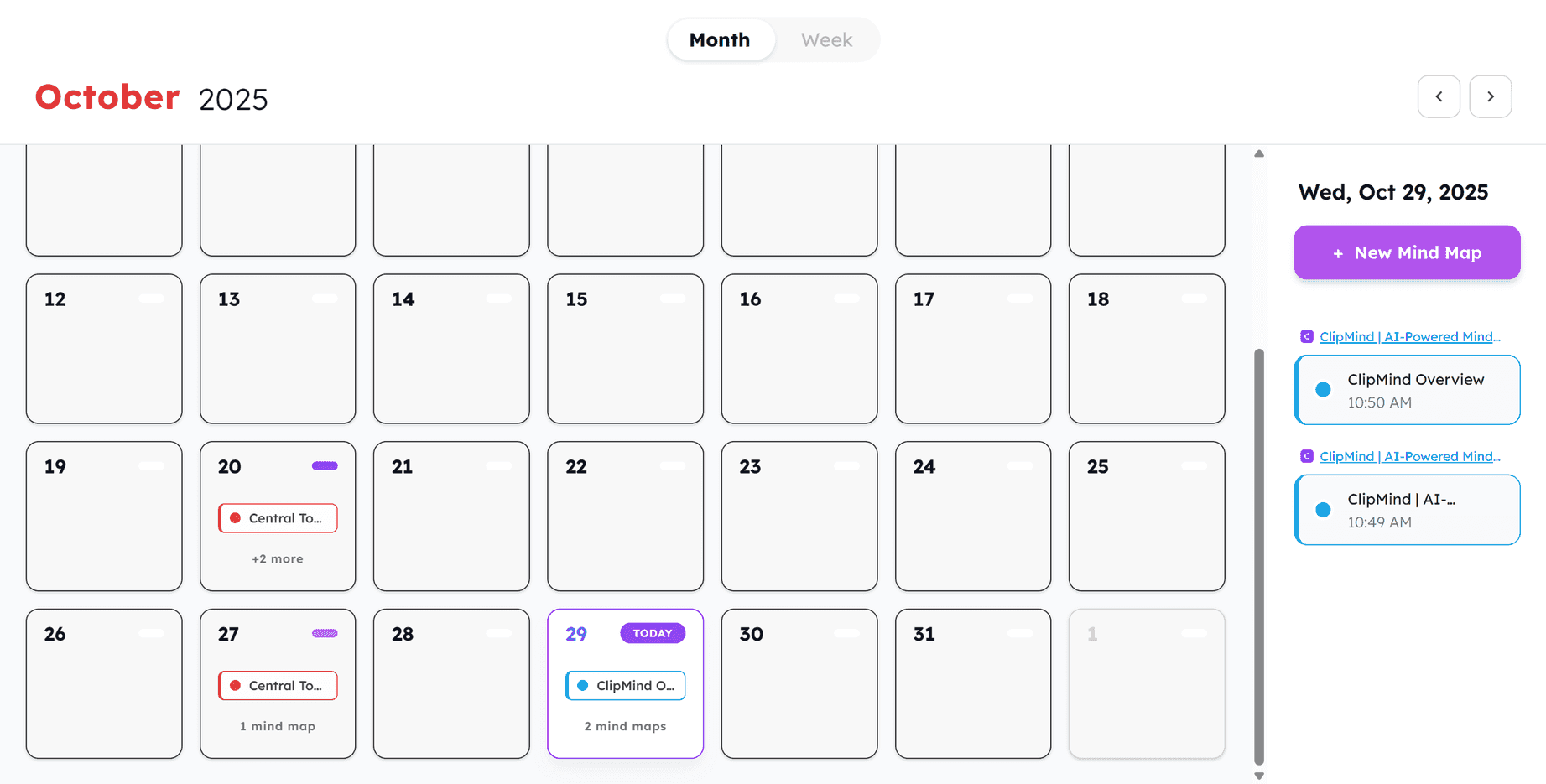
Tools that save your maps in a searchable history or calendar view (like ClipMind's history feature) transform the tool from a single-use utility into a personal knowledge base (PKM).
This is the ultimate defense against relearning. Instead of forgetting where you saved an insight or what you learned months ago, you can quickly search your past mind maps. You can revisit previous understanding, connect it to new information, and build a compounding repository of organized knowledge over time. This aligns with established PKM best practices for long-term learning.
AI Brainstorming and Editing
In-app AI assistants can act as cognitive partners. After generating or starting a map, you can ask the AI to expand on a node, suggest connections, or refine the logic. This deepens your engagement during the editing phase, helping you build a more robust and nuanced conceptual framework, which leads to stronger long-term retention.

Practical Applications: Where Mind Mapping Prevents Relearning
For Students and Researchers
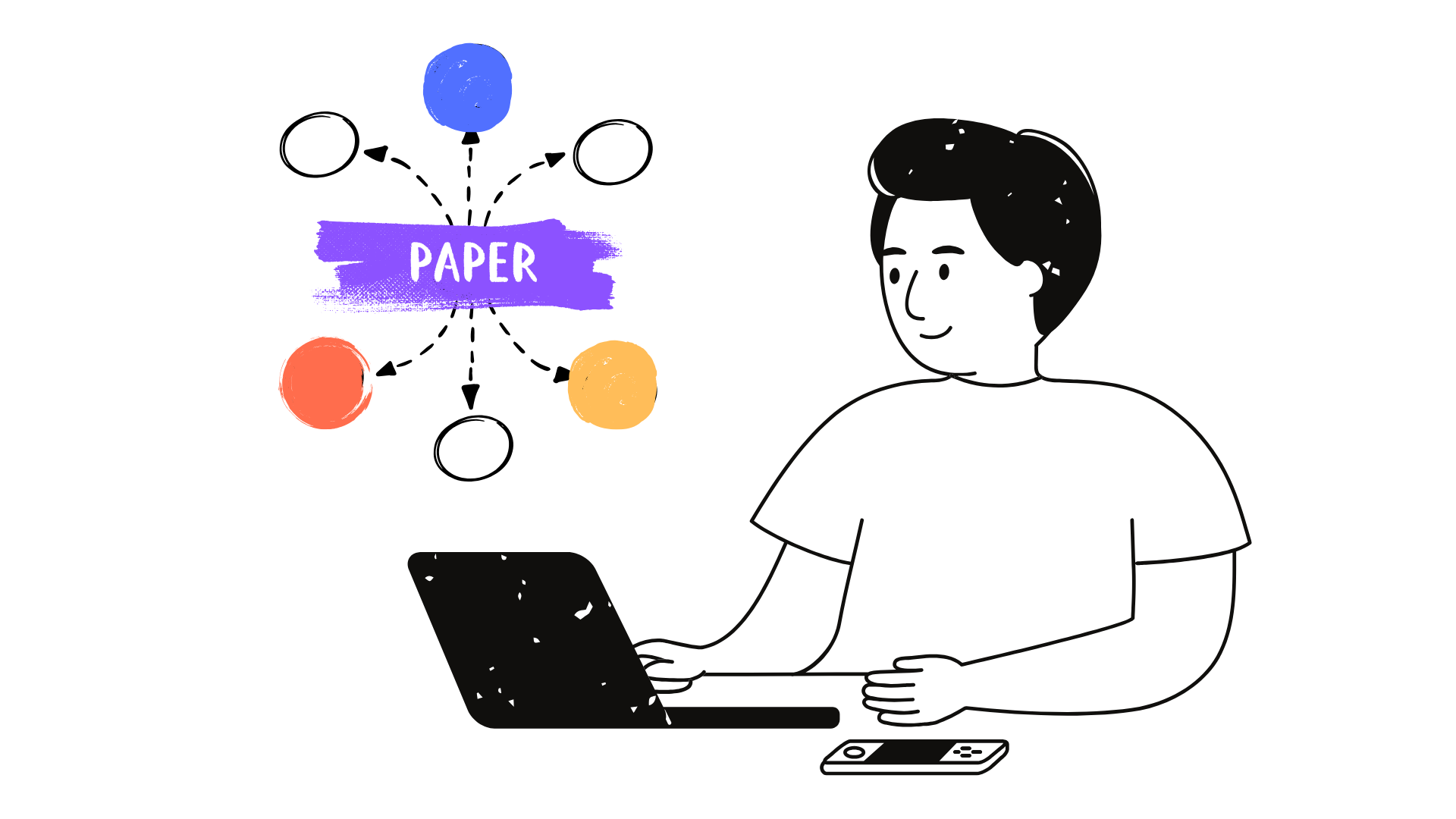
- Summarize Lectures & Papers: Use AI to generate a map from a recorded lecture video or academic PDF. Use this map as the basis for study notes.
- Literature Reviews: Create a master map linking themes, methodologies, and findings from multiple papers.
- Exam Revision: Use your maps for active recall. Cover branches and test yourself on the details.
This technique enhances proven study methods like the Feynman Technique by providing the structured content you need to "teach" simply.
For Professionals (PMs, Marketers, Analysts)
- Competitor Research: Summarize multiple competitor websites or reports into a unified visual comparison.
- Project Planning: Break down complex projects into manageable components and dependencies.
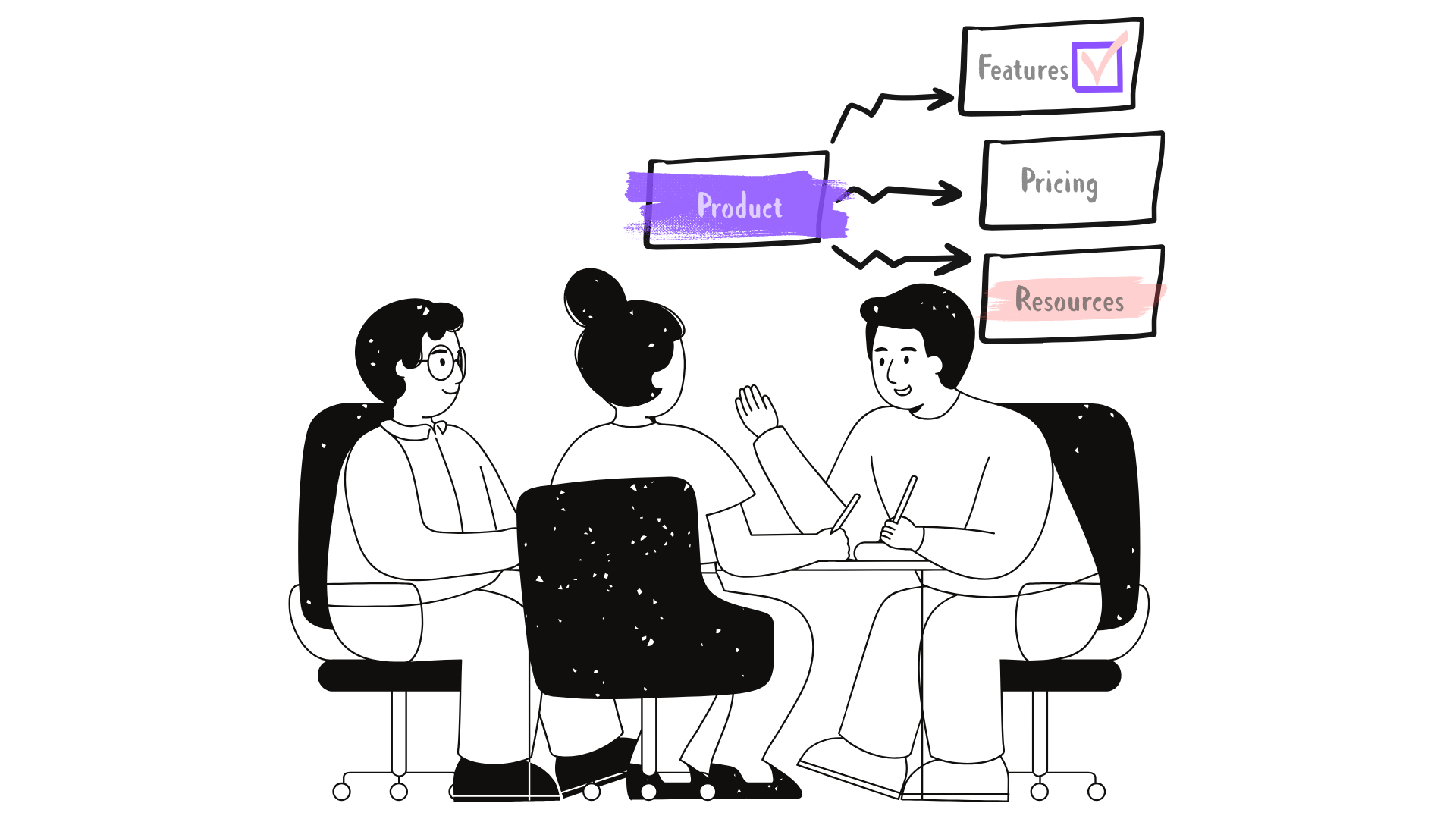
- Meeting Synthesis: Turn messy meeting notes or interview transcripts into a clear map of decisions, action items, and insights.
For Content Creators
- Script & Article Outlining: Brainstorm video topics or article angles, then structure the flow and key points directly in a map.
- Content Planning: Map out a series or campaign, visualizing how different pieces connect.
How to Get Started: A Step-by-Step Strategy
- Start with a Central Topic: Define the core question or concept you want to understand.
- Use AI to Overcome the Blank Page: Input your source material (article, video, document) into a tool like ClipMind to get a first-draft structure instantly.
- Edit and Personalize: This is where deep processing happens. Prune unnecessary nodes, add your own insights, create new connections between branches, and use icons or colors.
- Review and Integrate: Schedule brief reviews of your saved maps. Use them as a reference when starting related new work. This spaced repetition locks the knowledge in.
Choosing the Right Tool: A Comparison
| Tool | Best For | Key Differentiator | Learn More |
|---|---|---|---|
| ClipMind | AI-powered summarization & knowledge structuring | Automatically generates editable mind maps from videos, PDFs, webpages & AI chats. Dual-view editor, personal knowledge base history. | ClipMind Homepage |
| XMind | Traditional, feature-rich mind mapping | Deep manual editing, extensive styling options, presentation mode. A powerful desktop-first tool. | XMind Homepage |
| MindMeister | Real-time collaborative mind mapping | Excellent for team brainstorming and planning in a shared, live workspace. | MindMeister Homepage |
| Miro | Collaborative whiteboarding & diagrams | Infinite canvas for free-form ideation, sticky notes, wireframing. Less structured than dedicated mind mapping tools. | Miro Homepage |
| Whimsical | Fast wireframes, flowcharts & mind maps | Quick, clean interface for rapid visual thinking. Good for lightweight mapping and user flows. | Whimsical Homepage |
| Coggle | Simple, online collaborative mind maps | Very intuitive, minimal interface. Great for quickly mapping ideas with others with minimal learning curve. | Coggle Homepage |
Selection Guide:
- Choose AI-powered tools (like ClipMind) if your primary goal is to quickly understand and structure existing content from digital sources.
- Choose traditional software (like XMind, MindNode, SimpleMind) if you need deep, manual control over map aesthetics and complex hierarchies for presentations.
- Choose collaborative whiteboards (like Miro, Whimsical) if your main use case is team brainstorming and free-form diagramming beyond strict mind maps.
Conclusion: Mind Mapping as a Lifelong Learning Skill
In an era of constant information flow, the ability to organize concepts is not a nice-to-have—it's a foundational skill for effective learning and productivity. Mind mapping provides a practical system to move from shallow consumption to deep understanding.
By visually structuring information, you engage in the deep cognitive processing necessary for long-term retention. Modern AI tools have removed the historical friction, allowing you to start from a structured draft and focus your energy on making connections and gaining insights.
Start using mind mapping to build your organized knowledge base. It’s the most reliable method to understand deeply, retain longer, and finally break the frustrating and inefficient cycle of relearning.
Learn More
- ClipMind Blog – Explore more guides on visual thinking and productivity.
- How to Create Mind Maps from Webpages: Complete Guide – A detailed walkthrough of one of the most powerful use cases.
- Levels of Processing Theory – Dive deeper into the science of deep vs. shallow processing.
- Schema Theory in Psychology – Learn more about how mental frameworks shape learning.
- Personal Knowledge Management: A Practical Guide – Strategies for building a lasting second brain.
FAQ
What is the simplest definition of a mind map? A mind map is a visual diagram that organizes information around a central concept using a hierarchical, branching structure of keywords and ideas.
How is mind mapping different from traditional note-taking? Traditional notes are linear (lists, paragraphs), which can be passive and hide relationships. Mind maps are radial and visual, forcing you to identify connections and hierarchy, leading to deeper processing and better memory.
I'm not artistic. Can I still benefit from mind mapping? Absolutely. The value is in the cognitive process of organizing ideas, not the artwork. Digital tools provide clean templates, and AI can generate the structure for you, so you can focus on the logic.
Does research support that mind mapping improves memory? Yes. Multiple studies link concept/mind mapping to improved long-term retention. It works by facilitating deep processing and helping build cognitive schemas, which are frameworks for understanding.
What's the biggest advantage of AI-powered mind mapping tools? They eliminate the biggest barrier: starting from a blank page. By automatically generating a structured map from your content (videos, articles, chats), they allow you to immediately engage in the higher-order thinking of editing, connecting, and analyzing, which is where real learning happens.
Can I use mind maps for collaborative work? Yes. Many modern tools like MindMeister, Miro, and ClipMind (via shareable links) support real-time or asynchronous collaboration, making them excellent for team brainstorming, project planning, and research synthesis.
How often should I review my mind maps to avoid forgetting? Incorporate them into a spaced repetition schedule. Briefly review a map 1 day, 1 week, and 1 month after creating it. Use it as a reference when starting related new work. This active recall strengthens the memory pathways.