You’re staring at a 50-slide PowerPoint deck. It’s dense, it’s complex, and you need to understand its core message—fast. Manually sifting through each slide is time-consuming and mentally draining. This is the reality for students reviewing lecture notes, product managers analyzing competitor decks, and professionals preparing for meetings.
AI PowerPoint summarizers promise a solution, but not all are created equal. Some simply spit out bullet points, leaving you with another linear document to parse. Others offer more—transforming static slides into dynamic, visual knowledge structures you can actually think with.
This article cuts through the noise. We’ll compare the leading AI PPT summarizer tools, moving beyond a simple feature list to analyze how each one fits into your real-world workflow. You’ll learn how to choose a tool based on whether you need a quick digest, a structured analysis, or a creative springboard.
Beyond Bullet Points: What Makes an AI PPT Summarizer Effective?
A good AI summarizer does more than shorten text. It should enhance comprehension and make the output actionable for your next step. When evaluating tools, consider these key criteria:
- Accuracy & Context Awareness: Does it correctly identify the main thesis, supporting arguments, and key data? Can it interpret charts or speaker notes, or is it limited to slide text?
- Output Format & Actionability: This is critical. Does it produce a passive text summary (bullet points, paragraphs) or an active, editable format (mind map, visual map)? Research indicates that visual summaries significantly enhance long-term memory retention compared to text-only formats.
- Editability & Expansion: Can you easily reorganize the summary, add your own thoughts, or ask follow-up questions? A static summary is a dead end; an interactive one is a starting point.
- Integration & Workflow: How seamlessly does it fit into your process? Does it require uploading files, copying text, or installing an extension?
- Cost & Privacy: Is there a free tier? What are the usage limits? For sensitive corporate or research presentations, does the tool require an account or collect your data?
The most overlooked criterion is actionability. The best tool doesn’t just give you answers; it gives you a canvas to work with those answers.
Comparison Framework: How We Evaluated the Tools
We tested each tool against the criteria above, focusing on the core user task: summarizing an existing PowerPoint file (PPT/PPTX). We evaluated:
- Core Function: The accuracy and usefulness of the summary generated from a uploaded presentation.
- Output Type: The format of the summary (text, visual map, etc.) and its editability.
- User Experience: The simplicity of the process from upload to result.
- Advanced Features: Unique capabilities like integrated AI brainstorming, export options, and collaboration.
The following deep-dive reviews and the final comparison table are based on this hands-on testing framework.
Deep Dive: AI PPT Summarizer Tools Reviewed
The landscape can be grouped into four categories: visual knowledge tools, AI presentation makers, generalist AI assistants, and audio-first transcription tools.
ClipMind: Summarizing PPTs into Editable Mind Maps
ClipMind takes a unique approach. It doesn’t just summarize your presentation; it transforms it into a structured, editable mind map.
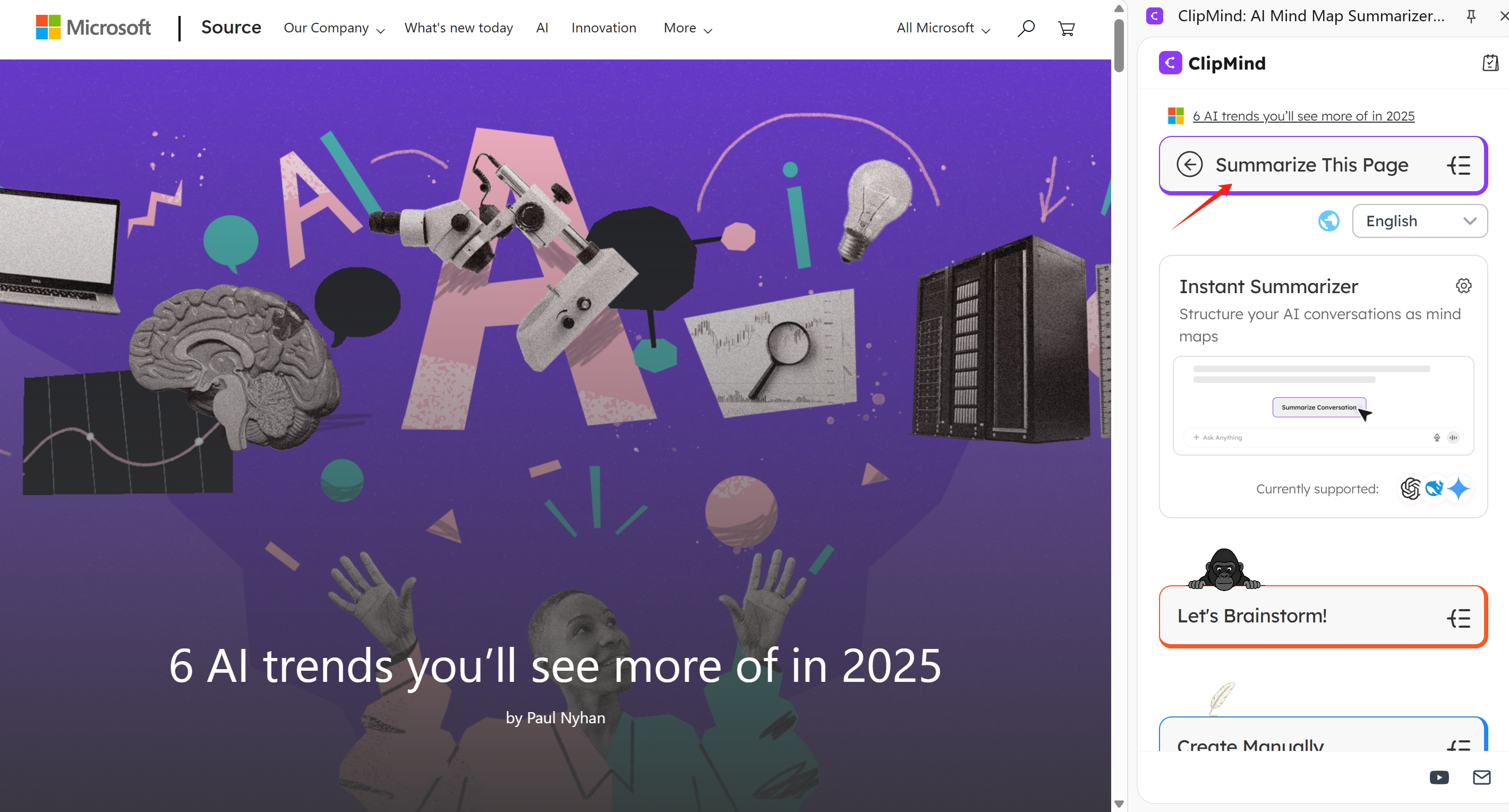
How it works: You upload a PowerPoint file (supporting PPT, PPTX, and PDF). ClipMind’s AI analyzes the content, extracts key concepts, and builds a visual mind map that shows the hierarchical relationships between ideas.
Key Differentiators:
- From Summary to Thinking Canvas: The output is a fully interactive mind map. You can drag nodes, reorganize sections, and add your own insights directly onto the canvas. This turns passive review into active understanding.
- Dual-View Workflow: Switch instantly between the Mind Map View for visual brainstorming and a Markdown View for linear editing and drafting. This bridges the gap between idea generation and structured writing.
- Integrated AI Assistant: From within the mind map, you can chat with an AI to brainstorm related ideas, clarify points, or expand on sections. The summary becomes a launchpad for deeper work.
- Privacy-First: No account is required to start, and ClipMind collects no personal data, making it suitable for sensitive content.
Best for: Students, researchers, product managers, and strategists who need to understand, structure, and build upon information from presentations, not just recall it.
The Specialist: Mapify for Visual Summaries
Mapify is another tool focused on visual output. Its strength lies in converting various content types, including PowerPoints, into visual summaries and sitemaps.
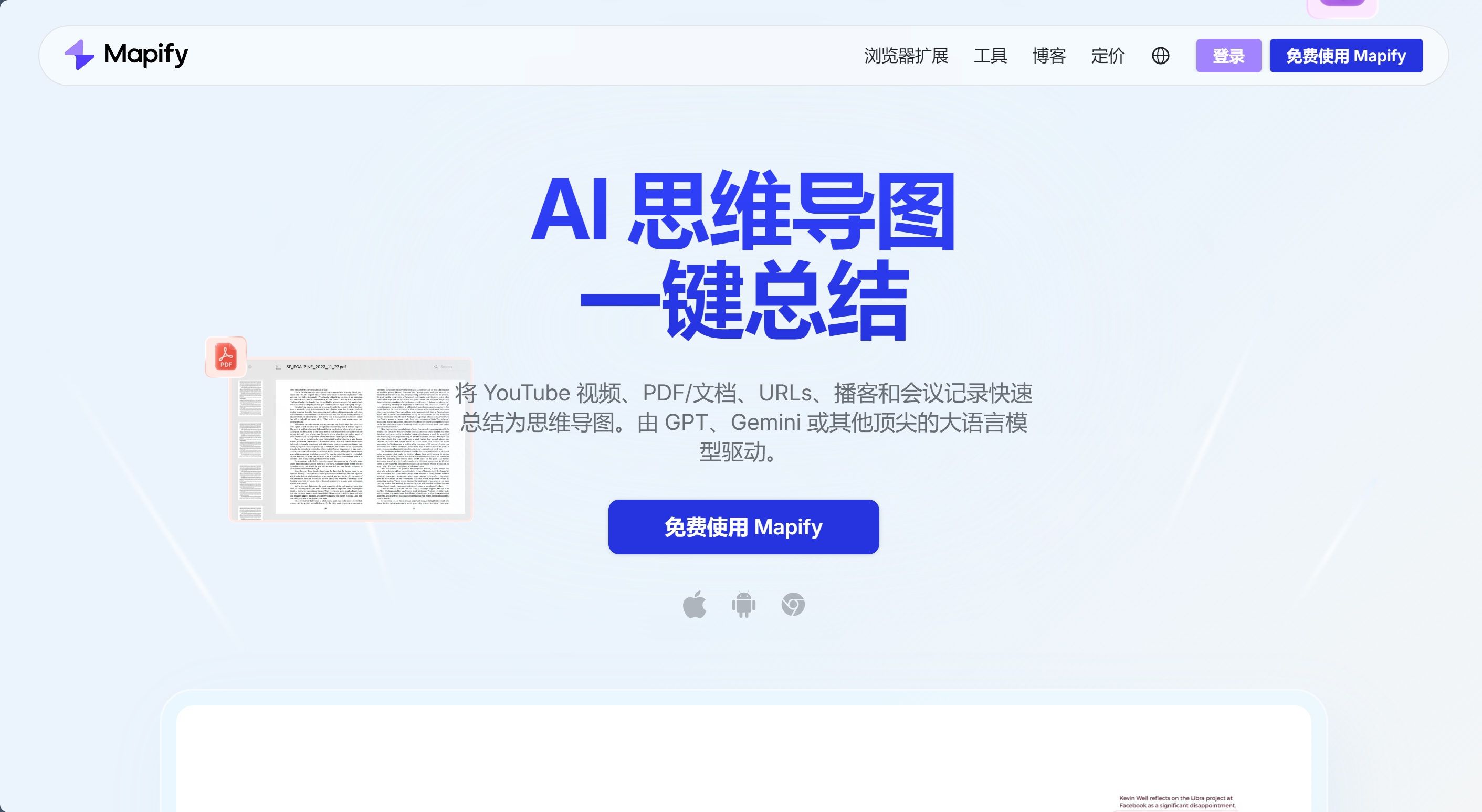
How it works: Similar to ClipMind, you upload a file, and Mapify generates a visual map. Its interface and output style are geared towards creating clean, presentation-ready visual overviews.
Key Differentiators:
- Visual Sitemaps: The output is often a flowchart-style visual summary, which can be great for high-level overviews.
- Broad Content Support: It prominently supports PowerPoint, PDF, webpages, and even audio/video.
- Translation Features: It offers built-in translation for summaries in many languages.
Considerations: While it creates visual maps, the focus seems more on summarization for review rather than deep editing and expansion within the tool itself. The workflow may feel more like a one-way conversion.
Best for: Users who need a quick, visual snapshot of a presentation’s structure for review or sharing.
The AI Presentation Makers: Gamma, SlidesAI, Beautiful.ai
This group (Gamma, SlidesAI, Beautiful.ai) are primarily AI-powered tools for creating new presentations from scratch. Their summarization capabilities are often secondary and tied to their content generation features.
- Gamma & Beautiful.ai: These are next-gen design platforms. You provide a prompt, and they generate a full, designed presentation. Their "summarization" is typically about condensing your source material (like a document) to inform the new deck creation. They are not optimized for summarizing an existing, complex PowerPoint file you upload.
- SlidesAI: This tool integrates directly into Google Slides and PowerPoint as an add-on. Its core function is to generate slide content from text prompts within your existing deck. It can help rewrite or condense text on a slide-by-slide basis but isn’t a dedicated tool for summarizing an entire external presentation into a coherent overview.
Best for: Users whose primary goal is to create a new presentation quickly. They are less ideal for deeply analyzing and summarizing existing third-party decks.
The Generalist AI Assistants: ChatGPT, Copilot, Canva
Tools like ChatGPT, Microsoft Copilot, and Canva’s AI features can summarize text, but require manual work to handle PowerPoint files.
- Microsoft Copilot: When used inside PowerPoint, Copilot can summarize your presentation directly. This is powerful for decks you already have open. For external files, you’d need to open them first or copy text.
- ChatGPT: You must extract all text from the PowerPoint slides and paste it into the chat. This loses all visual layout and chart context. While flexible, it’s a manual process and the output is text-only.
- Canva AI: Canva’s “Magic Write” can summarize text, but you need to extract and input the slide content manually.
Best for: Quick, text-based summaries when you already have the deck open (Copilot) or don’t mind manual text extraction. They offer accessibility but lack dedicated PPT parsing and visual output.
Audio-First Tools: Notta and Otter.ai
Notta and Otter.ai solve a different but related problem: summarizing the spoken presentation of a deck.
How they work: They primarily transcribe and summarize meeting or lecture audio. If someone is presenting a PowerPoint live, these tools capture the speaker’s narration and can generate meeting notes with action items.
Key Consideration: They do not analyze the PowerPoint file itself. Any summary is based solely on the audio transcript, missing all visual data, charts, and text from the slides unless the speaker explicitly describes them.
Best for: Meeting attendees who need a transcript and summary of what was said during a presentation. They are not tools for analyzing the slide deck document.
Head-to-Head Feature Comparison Table
| Tool | Primary Function | Input Formats | Core Output Type | Editability | Visual Output? | Integrated AI Brainstorming | Best For |
|---|---|---|---|---|---|---|---|
| ClipMind | Summarize → Mind Map | PPT, PPTX, PDF, Web, Text | Editable Mind Map | High (Drag, drop, edit) | Yes | Yes (In-canvas chat) | Deep understanding, restructuring, ideation |
| Mapify | Summarize → Visual Map | PPT, PDF, Web, Video, Audio | Visual Summary Map | Medium | Yes | Limited | Quick visual overviews, sharing |
| Gamma | AI Presentation Maker | Text Prompt, Doc upload* | New Presentation Deck | Low (Edit generated deck) | Yes (Designed slides) | No | Generating new presentations from ideas |
| Microsoft Copilot | AI Assistant in MS Office | Open PPT file | Text Summary (Bullets) | Low (Copy text) | No | Yes (General chat) | Quick summaries within PowerPoint |
| ChatGPT | General AI Chatbot | Pasted Text | Text Summary | Low (In chat) | No | Yes (General chat) | Flexible text analysis if you extract content |
| Otter.ai/Notta | Meeting Transcription | Audio/Video Recording | Transcript & Meeting Notes | Medium (Edit transcript) | No | Limited (Q&A on audio) | Capturing spoken presentations & meetings |
*Primarily for generating new content, not summarizing existing PPTs.
Choosing the Right Tool: A Guide by Use Case and User
Your ideal tool depends on what you need to do after you get the summary.
-
For Students & Researchers: You need to distill lecture slides or paper presentations into study notes. You prioritize structure and the ability to connect ideas for long-term retention.
- Top Choice: ClipMind. Transforming a lecture deck into a mind map helps you see the conceptual hierarchy and relationships, creating a superior study aid. Mapify is a secondary option for visual overviews.
-
For Business Analysts & Product Managers: You need to quickly grasp competitor decks or market research presentations to extract actionable insights. Prioritize accuracy and the ability to reorganize concepts for your own analysis.
- Top Choice: ClipMind. The editable mind map allows you to remix the competitor’s structure into your own SWOT analysis or feature comparison directly on the canvas. ChatGPT with Advanced Data Analysis can also be used for deep text interrogation if you manually provide the data.
-
For Content Creators & Marketers: You summarize presentations to create blog posts, social media content, or reports. You prioritize speed and concise, punchy bullet points.
- Top Choice: Microsoft Copilot (if in the MS ecosystem) or ChatGPT. These generalist tools are perfect for generating quick text summaries you can directly copy into your content drafts.
-
For Meeting Attendees & Recorders: You need a reliable transcript and summary of a live-presented deck. Your priority is audio capture and linking discussion points to the presentation.
- Top Choice: Otter.ai or Notta. These are purpose-built for this exact scenario, providing time-stamped transcripts and AI-highlighted key moments from the meeting audio.
The Future of Presentation Summarization: From Recall to Reasoning
The next generation of tools won’t just summarize; they will help you reason. Emerging multimodal AI models are getting better at understanding the interplay between text, charts, and layout in documents. Future summarizers might:
- Suggest critical questions the presentation leaves unanswered.
- Identify gaps or contradictions in the argument.
- Connect concepts from the presentation to your own knowledge base.
- Generate alternative visualizations of the data presented.
Tools like ClipMind, which output structured, interactive knowledge maps, are a step in this direction. They move the value proposition from simple information recall to active knowledge construction and critical thinking.
Conclusion and Final Recommendations
Choosing an AI PPT summarizer isn't just about speed; it's about the kind of work the summary enables you to do.
- If you need a structured understanding and a platform for ideation, choose ClipMind. It turns a presentation into an editable thinking canvas, perfect for deep analysis and brainstorming.
- If you need a fast text summary to copy into another document, a generalist AI like Copilot or ChatGPT will suffice, provided you handle the file input.
- If you want a clean visual overview to share, Mapify is a strong specialist.
- If you are summarizing a live spoken presentation, use Otter.ai or Notta.
Before you choose, ask yourself: Is my goal to simply remember this, or to think with it? Your answer will point you to the right tool.
Learn More
- How to Create Mind Maps from Webpages: Complete Guide – Extend your summarization skills to online articles and research.
- AI Mind Map Generator Review 2025: Top Tools for Visual Thinking – A broader look at AI tools for mind mapping.
- Gamma.App Review: Why I Ditched PowerPoint Forever – An in-depth review of a leading AI presentation maker.
- Otter AI vs Notta vs Jamie: Which one is better in 2025? – A detailed comparison of AI meeting assistants.
- The superiority of graphics over text in long-term memory retention – The academic research behind visual learning.
FAQ
Can AI summarizers understand charts and graphs in PowerPoint? Most current tools focus primarily on text extraction. Advanced multimodal AI models are improving at this, but for now, assume that complex visual data in charts may not be fully interpreted in the summary unless described in alt-text or surrounding text.
Is it safe to upload confidential presentations to these AI tools? You must review each tool's privacy policy. Tools like ClipMind that operate without requiring an account and state they collect no personal data can be a more privacy-conscious choice for sensitive information. For highly confidential material, using an offline tool or a tool within your corporate ecosystem (like Microsoft Copilot with commercial data protection) is advisable.
What's the difference between an AI presentation maker and an AI PPT summarizer? An AI presentation maker (like Gamma) is designed to create a new presentation from a text prompt or document. An AI PPT summarizer (like ClipMind or Mapify) is designed to analyze and condense an existing presentation file you provide.
Can I edit the summary that these AI tools produce? It depends on the tool. Generalist AIs like ChatGPT produce text you can copy and edit elsewhere. Specialized tools like ClipMind produce summaries within an editable canvas (like a mind map), allowing you to reorganize and add to the summary directly.
Which tool is completely free? Many tools offer free tiers with limitations (e.g., number of summaries, file size). ClipMind, ChatGPT, and Microsoft Copilot (with a qualifying subscription) have accessible free options. Mapify, Otter.ai, and others typically have free plans with usage caps.
What if my PowerPoint is in a language other than English? Most modern AI tools, including ClipMind, Mapify, and ChatGPT, support multiple languages for summarization. Check the specific tool's documentation for its list of supported languages.
How accurate are AI-generated summaries? Accuracy is generally high for well-structured, text-heavy presentations. Accuracy can decrease with poorly formatted slides, heavy use of jargon, or complex visual arguments. It's always recommended to review the AI-generated summary against the source material.