In the flow of knowledge work, documents are often the primary vessels of information. Research papers, reports, presentations, and meeting notes contain dense, structured knowledge. Yet, the act of reading a document is linear, while understanding it is relational. We read page by page, but we think in connections, hierarchies, and big-picture frameworks. This creates a cognitive gap between consumption and comprehension. The Document Summarizer is built to bridge that gap, transforming static documents into dynamic, editable mind maps.
What the Document Summarizer Does
This feature accepts common document formats—PDF, Word, PowerPoint, Markdown, and plain text—and uses AI to analyze their content. It doesn't just extract text; it identifies the inherent structure, main arguments, supporting points, and key details. It then reconstructs this understanding into a visual mind map. The output is not a static summary but an interactive canvas. You can adjust the language and detail level before generation, and once the map is created, you are free to reorganize, expand, or refine it, turning a passive reading artifact into an active thinking tool.
Typical Use Cases
- Literature Review for Researchers: Upload multiple academic papers. Generate a concise mind map for each to quickly grasp the core thesis, methodology, and conclusions. Compare maps side-by-side to identify overlapping themes and research gaps.
- Report Analysis for Analysts: Process lengthy market analysis or business reports. The mind map distills complex data into a clear hierarchy of findings, recommendations, and supporting evidence, making it easier to present insights.
- Lecture Note Synthesis for Students: After a class, upload the provided slide deck (PPT/PDF) or your typed notes. The summarizer creates a structured overview, helping to solidify understanding and identify areas that need further study.
- Project Brief Digest for Managers: Quickly get to the heart of a project proposal or technical specification document. The visual map clarifies objectives, requirements, and dependencies faster than skimming pages of text.
How to Use the Document Summarizer
-
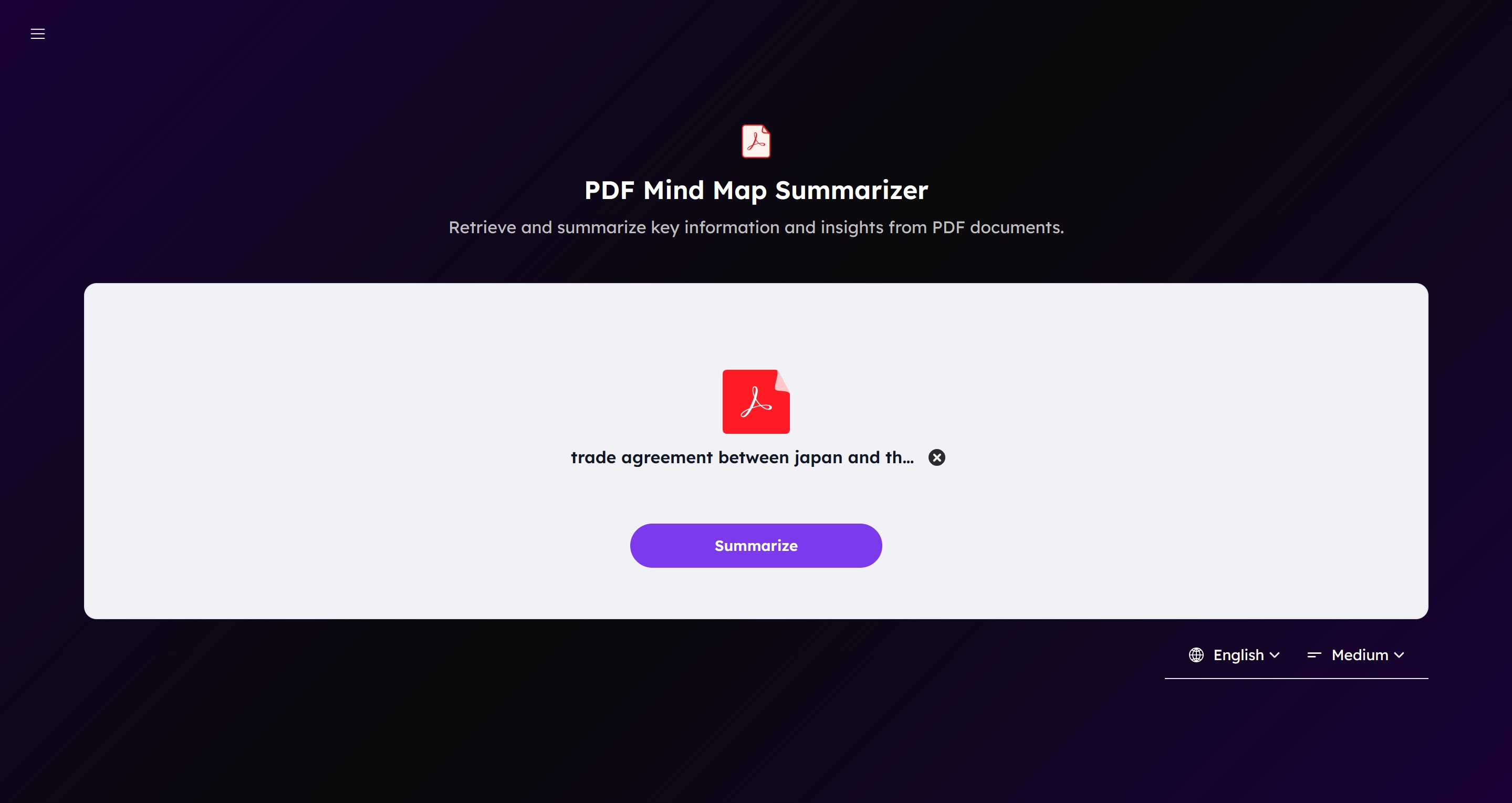
Navigate to the Document Summarizer page.
-
Upload your document by clicking the "Upload" button or dragging and dropping your file into the designated area. The maximum file size is 10MB.
-
Select your preferred Output Language and Detail Level (Short, Medium, or Detailed) from the dropdown menus. These settings guide the AI's summarization approach.
-
Click the "Summarize" button. The AI will process your document.
-
Once processing is complete, an editable mind map of the document's content will be generated in the canvas.
-
Edit the mind map: Click on any node to edit its text. Drag nodes to reorganize the structure. Use the toolbar to change layouts, color themes, or add stickers and illustrations.
-
Use the AI Assistant: Click the AI button in the editor to get help refining ideas, expanding on points, or translating content within the context of your map.
-
Export your work: Click the "Export" button and choose your format: PNG, JPG, SVG for images, or Markdown for a structured text outline.
-
Share collaboratively: Click "Share" to generate a link. Enable "Allow fork" to let others create their own editable copies of your mind map.
-
Access your history: All generated maps are saved in your Workspace, where you can browse them in List, Gallery, or Calendar view.
Key Capabilities and Notes
- Format Flexibility: The summarizer handles the logical structure within PDFs, Word docs, and PPTs, not just raw text extraction.
- Controlled Abstraction: The "Detail Level" setting lets you choose between a high-level overview and a more granular breakdown, adapting the tool to your immediate need for skimming or deep study.
- Interactive Output: The core value lies in the map being a starting point for thought, not an end point. Every element is malleable.
- Privacy-Conscious: Documents are processed for summarization but are not stored or used for training models.
Wrap-up
The Document Summarizer is designed for the moment after reading, when you need to hold the whole structure of an idea in your mind. It externalizes the document's architecture so you can see it, interact with it, and make it your own. It turns information intake into a structured, visual conversation.
If you regularly work with reports, research, or any document where understanding the structure is as important as the details, this feature can change how you engage with text. It's available now on the Document Summarizer page.